What Is a Paystub Generator?
A paystub generator is an online tool that allows you to create a professional pay stub quickly and accurately.
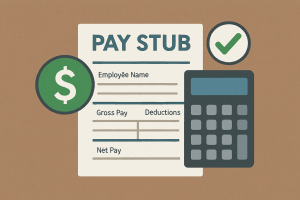
It calculates:
-
Gross pay
-
Federal & state taxes
-
Social Security & Medicare
-
Net pay
-
Year-to-date totals
Instead of building a pay stub manually in Excel (which often leads to errors), a generator ensures the document is structured correctly.
What Makes a Good Paystub Generator?
Not all tools are created equal.
A reliable paystub generator should include:
✔ Accurate Tax Calculations
Federal, state, Social Security, and Medicare must be calculated correctly.
✔ Proper Employer Information
Business name, address, and contact details must be formatted clearly.
✔ Pay Frequency Options
Weekly, biweekly, semi-monthly, or monthly.
✔ YTD (Year-To-Date) Totals
Many lenders use YTD income to verify stability.
✔ Professional Formatting
Clean layout that looks structured and consistent.
Common Mistakes When Creating Pay Stubs Manually
Many people try to build pay stubs in:
-
Excel
-
Word
-
Generic templates
This often results in:
-
Incorrect tax math
-
Missing employer information
-
Formatting that looks unofficial
-
Inconsistent pay period dates
Lenders and property managers notice these mistakes immediately.
Common Mistakes When Creating Pay Stubs Manually
Many people try to build pay stubs in:
-
Excel
-
Word
-
Generic templates
This often results in:
-
Incorrect tax math
-
Missing employer information
-
Formatting that looks unofficial
-
Inconsistent pay period dates
Lenders and property managers notice these mistakes immediately.
How to Use a Paystub Generator (Step-by-Step)
Creating a pay stub is simple when using the right tool.
Step 1: Enter Employer Information
Business name, address, contact details.
Step 2: Enter Employee Details
Name, address, pay rate, and hours worked.
Step 3: Select Pay Period
Choose weekly, biweekly, or monthly.
Step 4: Review Tax Breakdown
Ensure deductions and YTD totals are correct.
Step 5: Download Your Pay Stub
Generate a clean, professional document instantly.
Create Your Pay Stub Today
If you need a professionally structured document with accurate tax calculations, get one using Apaystubs.com generator https://apaystubs.com/